 Folium
File it. Find it. At home.
Folium brings your files, scanned documents, emails and web pages into a single application. You find any text in seconds, and your documents stay on your computers.
Lifetime licence · no subscription · interface in French, English and Spanish
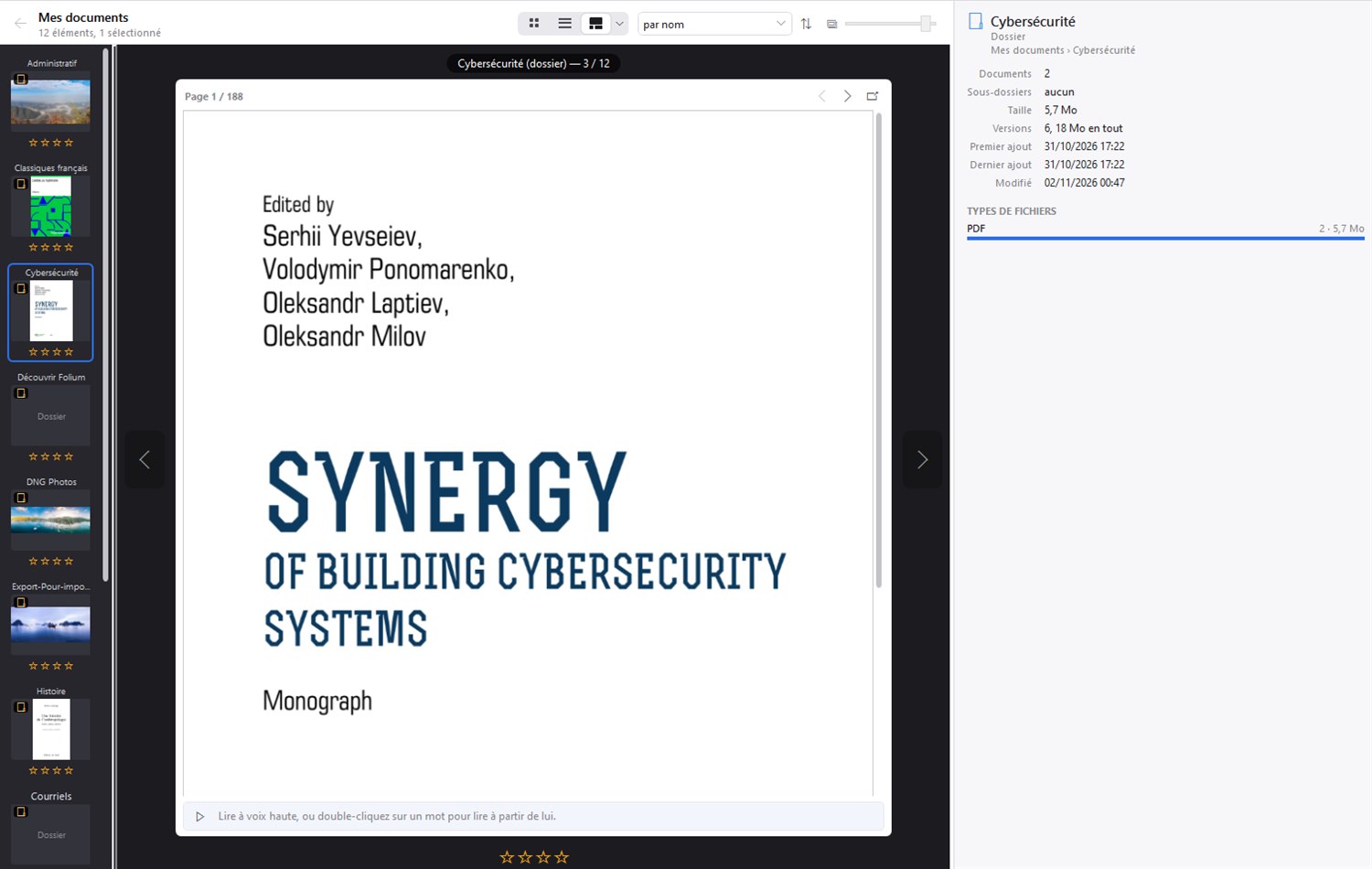
Everything you keep, in one place at last
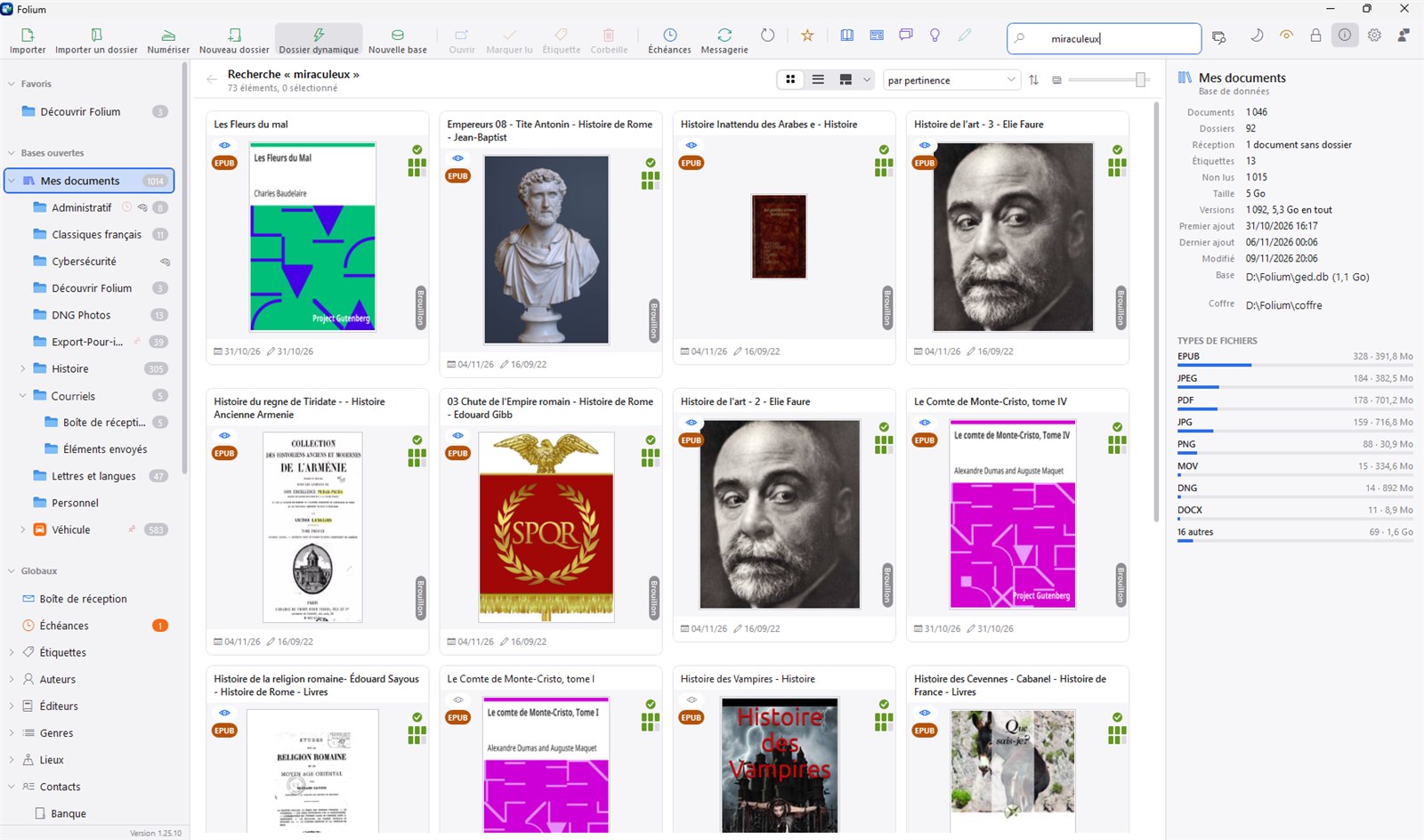
One window: your folders on the left, your documents in the middle, the preview and details on the right.
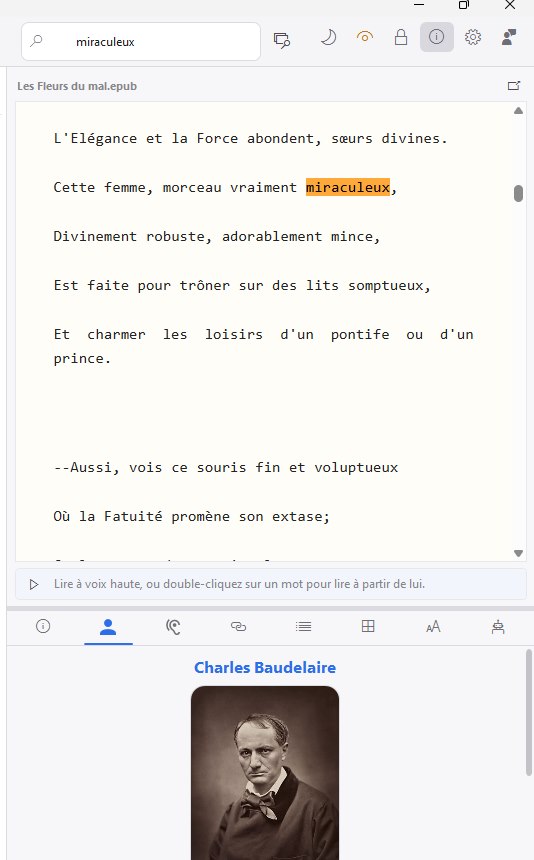
Find it, even inside a photo
Folium reads the text of everything you give it, including scanned documents and photos, thanks to text recognition.
- PDFs, Office documents, emails, web pages, ebooks
- Search that ignores accents and capitals
- The preview opens right on the word found
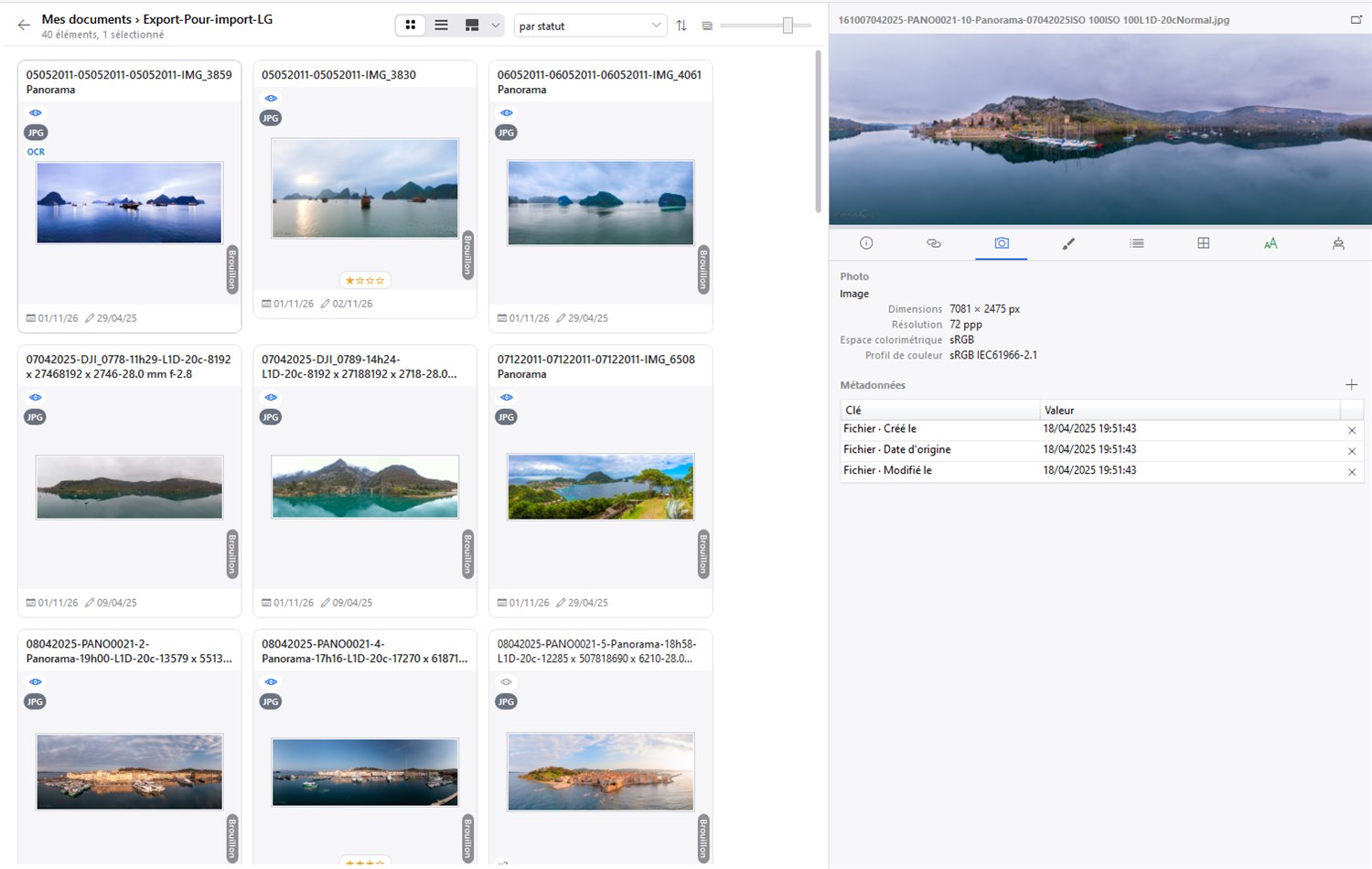
Your photos, full size
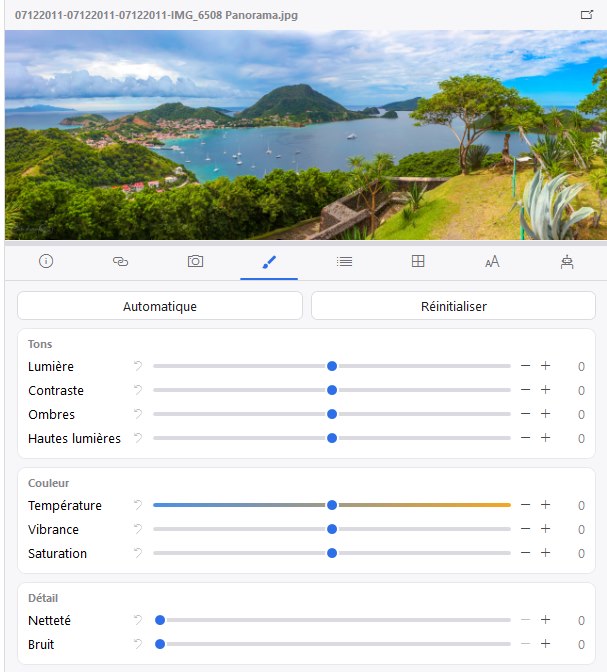
Browse thousands of photos as thumbnails, open them full frame and find everything the camera recorded.
- Camera, lens, settings and place of every shot
- Edit with sliders or in one click, the original always kept
- RAW files and panoramas displayed
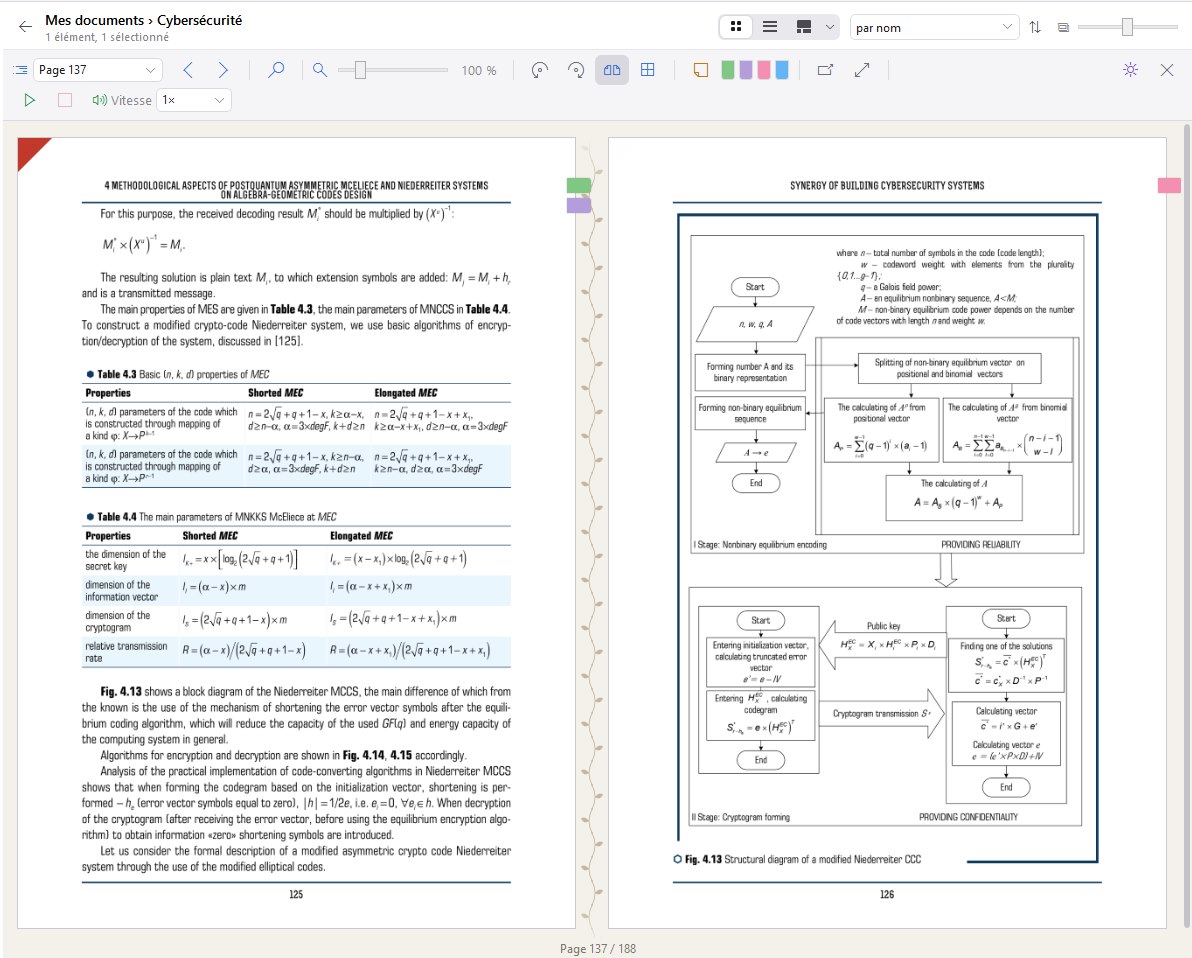
Read, annotate, listen
Ebooks and PDFs open in the Folium reader, on one page or two.
- Bookmark and coloured sticky notes
- Read aloud, offline
- Search the whole book
Leaf through your folders
Presentation mode shows each folder or document full size, with a filmstrip to move from one to the next.
- Cover or first page as a thumbnail
- Star rating in one click
- Folder details on the right
Folders that fill themselves
Write a rule once. Matching documents file themselves, on import and when an email arrives.
- Keywords, file type, dates, tags, sender
- Due dates with a warning before it is too late
- Your Windows folders imported as they are, originals untouched
Ask your documents
Ask a question in plain language. Folium finds the relevant passages and submits them to the AI you chose, which answers and cites its sources.
- Summary and translation of a document
- A filter first masks account numbers and identifiers
- Nothing leaves unless you ask
Photos
A full-frame viewer with its filmstrip, stars to sort, and every shooting detail: camera, lens, settings, place. RAW files are displayed too.
Photo adjustments
Colour temperature, sharpness and noise are corrected with a few sliders, or in one click on automatic. The original is never changed: the edit becomes a new version.
Timeline view
Your documents sort themselves by decade, year and month, from their real date: when a photo was taken, an email sent, a book published.
Mind maps
Draw your ideas and link each branch to your documents. Folium also draws the map of your library and flags upcoming due dates.
Email filtering
Each mail account has its rules: by sender, subject or content, a message is filed, tagged, rated or set aside. Junk mail is never fetched.
Web pages and RSS feeds
A web page is saved as a self-contained document, readable offline. Your RSS feeds arrive as articles, ready to be filed.
Scanning
The document in your scanner is captured and recognised. Folium suggests where to file it and spots dates, amounts and sender.
Reader and read-aloud
Ebooks and PDFs are read page by page, with a bookmark and notes. A voice reads the text aloud, with no connection.
Tags and ratings
Each document can carry tags, a colour and a rating. A folder passes its tags on to what it contains.
Online drives
Send or fetch folders on your Nextcloud, kDrive, Koofr or HiDrive space. Folium never deletes anything there.
Sharing between your computers
Share a folder with another computer or with a contact, read-only or read-write, and withdraw it whenever you decide.
Free to leave
Export everything, at any time, as ordinary folders readable without Folium. Your documents are never locked in.
Your documents stay yours
Folium is an application installed on your computer, not an online service.
Local storage
Your documents and their index are on your disk, or on your own file server.
End-to-end encrypted sharing
The relay that connects your computers carries data it cannot read.
Protected folders
Their content is encrypted with AES-256. The password is stored nowhere.
AI under your control
Nothing is sent to an AI unless you ask, and sensitive data is masked before it leaves.
Voice and recognition on your machine
Voice, text recognition and search all run on your computer.
No ads, no trackers
Folium does not watch you. Neither does this site: no cookies, no audience measurement.
One price, paid once
No subscription. The software you buy keeps working with no time limit.
Folium
For individuals and freelancers
€19.90€9.90once, lifetime licence
- Every Folium feature
- Encrypted sharing through the Folium relay, included
- Additional licence: €5.90
Folium Executive
For those who want their own relay
€49.90once, lifetime licence
- Every Folium feature
- A relay of your own, on your server
- Additional licence: €4.99
Prices include all taxes. Secure payment with PayPal; your serial number arrives by email.
Try Folium today
Beta version 1.025 for Windows 10 and 11, 64-bit. It installs for your account only, without administrator rights.
A beta may have defects: keep a backup of your important documents.